English
 Русский язык
 بالعربية

Products Description
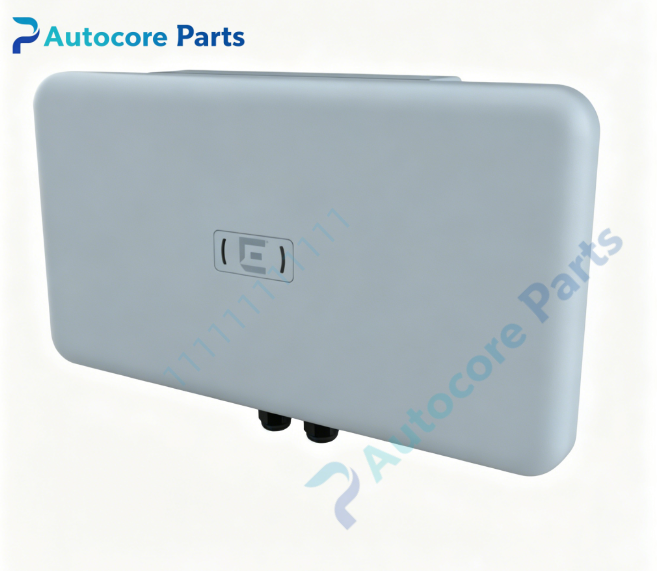
Extreme Networks AP560h-FCC Stadium Optimized Outdoor Wi-Fi 6 Access Point

Technical SpecificationsModel:AP560h-FCC Brand:Extreme Networks Product Type: IP67 rugged outdoor high-density stadium Wi-Fi6 wireless access point
Radio & WLAN Standard:
Radio 1: Dual band 2.4GHz /5GHz,4×4 MIMO
Radio 2: Band locked 5GHz dedicated radio,4×4 MIMO
IoT Radio: 2.4GHz BLE beacon radio for asset location service Antenna: 8 built-in Wi-Fi directional antennas + 1 BLE antenna; software selectable beamwidth: 30° narrow beam or 70° wide sector beamEthernet Ports:
GE1: 100M/1G/2.5G/5GBASE-T multi-gig RJ45 uplink,PoE input
GE2: 10/100/1000BASE-T Gigabit RJ45 PoE: IEEE802.3at PoE+ (25W) Enclosure: IP67 weatherproof plastic housing Operating temperature:-40℃ ~ +55℃ Storage temperature:-40℃ ~ +70℃ Weight: Approx 4.77 kg Mounting: Pole / wall mounting bracket (optional accessory) Management: ExtremeCloud IQ, WiNG controller Security: WPA3,802.1X,WIPS wireless intrusion prevention Regulatory: FCC US radio domain
System compatibility
AP560h-FCC belongs to Extreme AP560 series stadium-grade outdoor Wi-Fi6 AP family. Managed by ExtremeCloud IQ cloud controller or on-prem WiNG controllers. Compatible with 802.3at PoE multi-gig switches. Supports seamless roaming with AP5xx series access points.
Function
AP560h-FCC is purpose-built outdoor Wi-Fi6 access point for stadium, arena and large open venue ultra-high-density wireless access. Two 4x4 MIMO Wi-Fi radios can work in dual-5GHz mode to maximize concurrent user capacity. Unique software-selectable internal directional antenna allows switching beam width between 30° narrow beam and 70° sector beam without hardware replacement. IP67 enclosure protects the device against rain, dust and extreme temperature. BLE radio supports indoor asset tracking and location analytics. Multi-gig 5G port provides sufficient uplink bandwidth for massive Wi-Fi client traffic. Widely used for stadium, exhibition hall, outdoor large event high-capacity Wi-Fi coverage.
InstallationApply ESD protection. Install pole or wall mounting bracket and secure the AP. Complete proper lightning grounding. Connect CAT6A cable to GE1 port and supply 802.3at PoE+ power. Adopt AP into ExtremeCloud IQ / WiNG controller, select antenna beamwidth(30° or70°), configure SSID, RF channel and security profile. Verify wireless client access and signal coverage after power-up.
Interface5G multi-gig GE1 port, GE2 gigabit port, reset button, dual status LED indicators, security lock hole and ground terminal for Extreme Networks AP560h-FCC.
FeatureOriginal Extreme Networks AP560h-FCC stadium outdoor Wi-Fi6 AP,4x4:4 tri-radio,software switchable 30°/70° directional beam,IP67 enclosure,5G multi-gig uplink,WPA3 security,FCC certification. This spare AP is used for stadium, arena high-density outdoor wireless coverage deployment and replacement.
DiagnosticAP not discovered: Check 802.3at PoE power supply, cable quality and controller network reachability. Low client capacity: Switch antenna beam width, optimize channel planning and reduce RF co-channel interference. No BLE beacon: Enable IoT radio on controller profile. Radio unstable: Check enclosure seal and ambient temperature, verify firmware matches controller version. Link flapping: Inspect RJ45 connector, cable and PoE switch port status.
Product BriefAP560h-FCC is Extreme AP560 series IP67 outdoor Wi-Fi6 stadium access point with software-selectable directional antenna,classic spare for large venue high-density wireless coverage.
DisclaimerAll parameters are for reference only and shall not be used as the basis for quotation. Goods are scarce, overseas delivery lead time is 3-7 working days. It is only used for equipment maintenance and replacement.